8 Must-Have NightShiftLiving Productivity Tools for Working the Night Shift
>> Productivity NightShiftLiving>> 8 Must-Have NightShiftLiving Productivity Tools for Working the Night Shift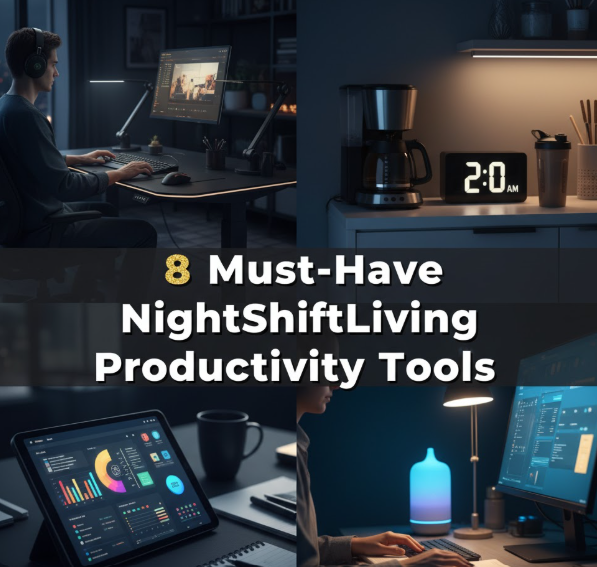
8 Must-Have NightShiftLiving Productivity Tools for Working the Night Shift
Doing the night shift is no joke. While everyone else is snoozing, you’re on the clock. And although that requires strength, it runs on the right tools to keep you sharp, healthy, and productive.
And that is where the NightShiftLiving productivity tools help.
Whether you drive trucks during the night shift, work in a hospital, run security shifts, or handle remote customer service — having the right tools can transform your experience entirely. They help you sleep better by day, stay focused by night, eat well, and schedule without burning out.
We’ve put together a guide covering the 8 essential tools every night worker should know. Each one is selected with the particular challenges of night-shift life in mind.
Why Night Workers Need Special Productivity Tools
The vast majority of productivity advice is written for 9-to-5 workers. That advice doesn’t always fly when your “morning” kicks off at 10 PM.
Night workers face a different set of challenges:
- Sleep cycles that disrupt focus and memory
- Limited support networks outside of work hours
- Variable meal schedules that can sap energy
- Social isolation that can be detrimental to mental health
- A confused body clock that makes it impossible to feel alert
A 2022 study by the National Sleep Foundation found that shift workers are 33% more likely than day workers to say they often feel tired while on the job. Without the right tools and routines, that number only gets worse.
The good news? The right tools can bridge that gap.
Tool #1 — Blue Light Blocking Apps to Protect Your Sleep
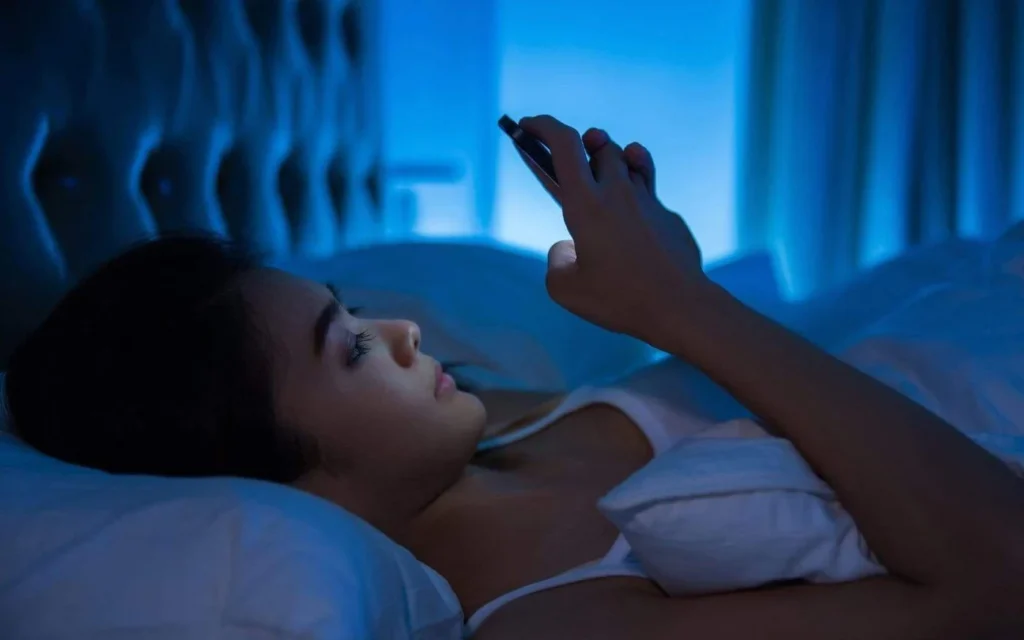
Why Blue Light Is the Enemy of Daytime Sleep
When your shift ends at 6 AM and you arrive home by 7, your brain treats it as the start of a new day. Light — particularly the blue light emitted by your phone or laptop screen — makes your brain suppress melatonin, the sleep hormone.
The result? You lie in bed for hours unable to sleep, even when you’re completely exhausted.
Blue light blocking apps solve this by cutting out the harmful wavelengths from your screen.
The Best Blue Light Blocking Tools to Try
| Tool | Platform | Best For |
|---|---|---|
| f.lux | Windows, Mac | Schedule-based filtering |
| Night Shift | iOS / macOS | Very easy setup |
| Twilight | Android | Aggressive red-filter options |
| Iris | Windows, Mac, Linux | Advanced customization |
How to Use Them Right
Schedule these apps to turn on about 2 hours before your shift ends. By the time you step through your front door, your brain will already be tipping into sleep mode.
Pair them with blue-light-blocking glasses if you commute in the morning. Together they work even better than either one alone.
Tool #2 — Task Management Apps Built for Night-Shift Schedules
The Problem With Standard To-Do Apps
Most task apps assume you’re working from 8 AM to 6 PM. They send you reminders at 9 AM. They sync meetings to a daytime calendar. They don’t factor in that your “Tuesday” might run from 10 PM Monday to 6 AM Tuesday.
NightShiftLiving productivity tools solve this by giving you complete control over your time blocks and notification windows.
Best Task Management Tools for Night Workers
Todoist is one of the more flexible task managers out there. You can schedule tasks at any time of day, set recurring tasks at odd hours, and organize projects with labels. The trick is to create a “Night Shift” project label and build your entire workflow around that.
Notion works great if you want more than just tasks. You can build custom dashboards, log routines, write notes from your shift, and create templates for daily goals. Many night workers use Notion as a personal command center — recording energy levels, tasks completed, and shift notes all in one place.
TickTick has a built-in Pomodoro timer, habit tracker, and calendar — three things night workers need in one app. You can set reminder times to ensure nothing buzzes during your sleep window.
Tips for Night-Shift Task Management
- Do your planning before your shift, not during it. Take 10 minutes before you clock in to go over what needs to get done.
- Use time blocks instead of endless to-do lists. Break tasks into 25-30 minute chunks.
- Review your day before sleep. A 5-minute “wind down review” gives your brain time to process the shift and makes it easier to sleep.
Tool #3 — Sleep Tracking Apps to Take Back Your Rest
Sleep Is Your Superpower as a Night Worker
If you can’t sleep during the day, you cannot be productive at night. Sleep tracking apps give you insights into your sleep patterns so you can make better choices about your schedule.
They monitor how long you sleep, how deep your sleep is, and whether you’re being disrupted by noise, light, or other interruptions.

Best Sleep Trackers for Day Sleepers
Sleep Cycle detects your sleep phases using your phone’s microphone or accelerometer. It wakes you up at the lightest phase within a 30-minute window — so you wake feeling refreshed, not groggy. This is a game-changer for shift workers trying to squeeze in 6-7 hours before noon.
Oura Ring is a wearable sleep tracker that many night workers swear by. It tracks body temperature, heart rate variability, and sleep stages throughout the day. It also gives you a “readiness score” every evening before your shift. Knowing your score helps you decide how hard to push.
Pillow (iOS) provides detailed sleep reports including time in REM, deep sleep, and light sleep. If you’re consistently missing deep sleep, the app helps pinpoint common threads — like afternoon light or noise — that may be cutting into your rest.
Simple Habits That Boost Daytime Sleep Quality
- Block all light from your bedroom. Blackout curtains are totally worth it.
- Place a “Do Not Disturb” sign on your door. Tell your household what time you’ll be sleeping.
- Keep your room cool. Cooler temperatures improve sleep quality.
- Review your sleep tracking data for trends — not just one night, but across weeks.
Tool #4 — Noise and Focus Tools to Stay Sharp Through the Night
Why Night Shifts Can Actually Be Harder to Focus During
Night shifts may seem quieter. Sometimes they are. But late-night boredom, tiredness, and the absence of daytime energy cues can make focusing just as difficult — if not more so.
NightShiftLiving productivity tools for focus help keep your mind on track through the long hours.
Noise Management Tools Worth Having
Krisp is an app that cancels noise from your microphone and speakers. If you’re on calls during your shift — customer service, IT support, remote work — Krisp eliminates background noise from both your audio and the caller’s audio. It works in any app and runs silently in the background.
Noisli lets you combine background sounds like rain, wind, coffee shop chatter, and white noise to create a customized focus environment. Many night workers find that ambient sound makes slow hours feel less isolating and more alert.
Brain.fm features AI-generated music created specifically for focus, relaxation, or sleep. The focus tracks are especially useful for remote night workers who need to stay sharp for hours on end.
Focus Techniques That Work at Night
| Technique | Duration | Best For |
|---|---|---|
| Pomodoro | 25 min work / 5 min break | Task-heavy shifts |
| 90-Minute Deep Work | 90 min on, 20 min off | Creative or analytical work |
| Ultradian Rhythm | Work until energy dips, then rest | Roles with less set schedules |
| Body Doubling | Work alongside someone on a video call | Isolation-heavy remote roles |
Tool #5 — Shift Schedule Planners That Actually Work
The Calendar Problem Every Night Worker Faces
Standard digital calendars are designed for 9-to-5 workers. Most apps fall apart when you work rotating shifts, alternate between days and nights, or have unpredictable days off.
A good shift planner aligns your work schedule with the rest of your life — meals, family time, appointments, and sleep.
Best Scheduling Tools for Night Shift Workers
Shift Work — Schedule Planner (available on iOS and Android) is geared toward those who work night or rotating shifts. You enter your shift pattern and it automatically generates your schedule weeks or months in advance. You can link it to your phone calendar and set custom reminders.
Deputy is used by many employers who manage night-shift teams, though workers can also use the personal version to track hours, request time off, and view upcoming schedules. It is particularly valuable in healthcare, hospitality, and security.
When I Work follows a similar model but adds team communication features. If you coordinate with coworkers across several shift rotations, this app helps keep everyone in sync without cluttering up group texts.
How a Good Schedule Planner Saves Your Energy
A schedule planner does more than track your shifts. It helps you:
- Plan sleep windows in advance, relative to your work hours
- Schedule your meals so you aren’t eating at odd hours
- Head off conflicts before they happen — like a doctor’s appointment during your normal sleep time
- Tell family and friends when you’re available, without having to repeat yourself every week
Tool #6 — Nutrition and Meal Prep Apps for Night Workers
The Real Challenge of Eating at Midnight
Your body isn’t built to digest a full meal at 2 AM. But you still need fuel to perform. The trick is knowing what to eat, when to eat it, and how to prep ahead so you’re not reaching for chips and energy drinks every night.
Nutrition apps designed around irregular eating windows can genuinely change your energy levels on the job.
Apps That Help Night Workers Eat Better
Cronometer is a detailed nutrition tracker that lets you log food and track micronutrients — not just calories. For night workers whose circadian rhythm is disrupted, monitoring vitamins like D3, B12, and magnesium can make a significant impact on energy and mood.
Mealime focuses on meal planning with simple, quick recipes. You select your dietary preferences and it creates a weekly meal plan with a shopping list. Many night workers prepare meals on their days off, refrigerating or freezing them so they have real food available at any hour.
MyFitnessPal remains one of the best-known apps for tracking calories and macros. Although not night-shift specific, you can adjust your eating window and calorie goals based on your schedule.
What to Eat (and Avoid) on Night Shifts
| Eat More | Eat Less |
|---|---|
| Protein-based snacks (eggs, Greek yogurt) | Heavy and greasy meals |
| Complex carbs (oats, sweet potato) | High-sugar foods that spike energy then crash |
| Magnesium-rich foods (nuts, leafy greens) | Caffeine after 3-4 hours into your shift |
| Water and herbal teas | Energy drinks in excess |
Tool #7 — White Noise and Focus Sound Apps to Block Distractions
How Sound Shapes Your Focus More Than You Realize
Night workers in busy environments — hospitals, warehouses, call centers — deal with constant noise. Even those who work from home face noise from neighbors, traffic, or household sounds during their “daytime” sleep.
White noise and ambient sound tools help on both ends: keeping your brain focused during shifts and helping you sleep during the day.
The Best Sound Tools for the Night Shift Life
Calm includes sleep stories, guided meditations, and nature sounds. Though it’s primarily marketed as a sleep app, the focus music and breathing exercises are super helpful for managing stress mid-shift. A 5-minute breathing session during a break can reset your mental state better than a coffee break.
myNoise is one of the most powerful free sound tools available. It has dozens of calibrated soundscapes — including rain forests, jet engines, and brown noise. You can adjust each frequency band according to your listening preferences. Night workers use it to drown out loud work environments without headphones that block all communication.
Endel uses AI to generate customized soundscapes. It adapts based on the time of day (or night), your heart rate if paired with a wearable, and your activity. It has distinct modes for night shift work and sleep — a feature not common among sound apps.
Choosing the Right Sound for Your Task
Different sounds work better for different activities:
- White noise — best for repetitive, task-based work when you need to block distractions
- Brown noise — deeper tone, great for sustained concentration and reading
- Binaural beats — may help with focus and relaxation for knowledge workers
- Nature sounds — rain, forests, and streams lower stress and boost mood
Tool #8 — Energy and Health Monitoring Tools
Tracking Your Body Is the Real Secret Weapon
The most overlooked NightShiftLiving productivity tool isn’t an app — it’s awareness. Knowing when your energy peaks and dips during your shift lets you schedule your hardest tasks during your sharpest hours.
Energy monitoring tools — from fitness trackers to hydration apps — give you the data to make smarter decisions.
Best Health and Energy Tools for Night Workers
Garmin or Fitbit wearables track heart rate, steps, stress levels, and sleep over 24-hour periods. Patterns emerge in the data over time — such as discovering that your highest-performance hour is likely 1-3 AM, not midnight. You can plan your heaviest tasks within that window.
HydroCoach is a hydration tracking app. One of the biggest energy drains for night workers is dehydration. A 2% drop in hydration can lower your alertness by as much as 20%. HydroCoach gives personalized reminders based on your body weight and activity level.
HealthifyMe blends nutrition tracking, workout logs, and wellness coaching. For night workers trying to stay healthy despite irregular schedules, having all three in one app eliminates the friction of jumping between multiple platforms.
Building a Simple Energy Audit
You don’t need fancy tech to get started. For one week, keep a simple record:
- What time did you eat?
- How did your energy feel at each hour of your shift?
- How many hours did you sleep?
- Did you exercise or move?
After a week, patterns will emerge. You’ll find out which habits are helping and which are hurting. From there, you can tweak your routine using the tools above.
How to Build Your Own NightShiftLiving Productivity Stack
You don’t need all 8 tools at once. Start with 2 or 3 that address your biggest challenges right now.
Here’s a simple framework:
If sleep is your biggest problem → Start with a sleep tracker (Sleep Cycle or Oura) and a blue light app (f.lux or Twilight).
If focus is your greatest challenge → Start with a task app (TickTick or Todoist) and a sound tool (Noisli or Endel).
If health is your main concern → Start with a nutrition app (Mealime or Cronometer) and a wearable or hydration tracker.
Build from there. After 30 days with your first tools, you’ll have a much better sense of what else is missing.
Frequently Asked Questions
Q: Are these NightShiftLiving productivity tools limited to overnight workers?
Not at all. While they’re geared for night workers, many of these tools — particularly sleep trackers, task managers, and sound apps — work just as well for early morning workers, rotating shift workers, and anyone with irregular hours.
Q: Do I need to pay for all of these tools?
All the apps on this list have decent free versions. f.lux, Noisli, Todoist (basic), and MyFitnessPal all have free tiers that cover the basic features. The premium versions add more customization, but you don’t need them to get started.
Q: How quickly do you see results from using these tools?
Most people notice improvements in sleep and focus after 1-2 weeks of consistent use. Building a full routine with multiple tools usually takes 3-4 weeks before it feels automatic. Stick with it — the compounding effect is real.
Q: What if my employer prohibits personal apps during work hours?
Focus on tools you use outside of work — blue light apps before your shift, sleep trackers during rest time, meal prep apps on your days off, and schedule planners for personal use. Many productivity gains from night-shift tools happen before and after the shift, not during it.
Q: Can these tools help with the mental health challenges of night shift?
Yes. Apps like Calm and Endel speak directly to stress and anxiety. Sleep trackers help identify when poor rest is affecting your mood. Nutrition apps help you maintain stable energy levels, which has a direct impact on emotional regulation. For serious mental health concerns, these tools should supplement — not replace — professional support.
Q: Is the Oura Ring worth the price for night workers?
For workers who are committed to optimizing their health and sleep, yes. The data it provides on sleep staging, body temperature trends, and readiness scores gives night workers insights that lower-end trackers simply can’t offer. That said, it’s an investment — start with a free sleep app first and upgrade if you find sleep tracking genuinely helpful.
The Bottom Line
Working the night shift doesn’t mean accepting poor sleep, scattered focus, or declining health. It means adapting — and the right NightShiftLiving productivity tools make that adaptation a lot easier.
Each tool on this list was chosen because it solves a real, specific problem that night workers face: from blue light blockers that protect your daytime sleep, to shift planners that bring order to your schedule.
You don’t need all 8 today. Choose the one that addresses your biggest problem right now. Use it consistently for one month. Then add the next one.
Night shift life has its own rhythm. With the right tools, you can make that rhythm work for you.
Related Post
8 Easy NightShiftLiving Productivity Habits for Better Focus
Working nights flips everything upside down. You clock in when the rest of the world…